80-Point Font, One Surprised Household: What Happened When We Relabeled Our Smart Home for Grandma's Month-Long Stay
The Setup: A House Full of Devices Nobody But Us Understands
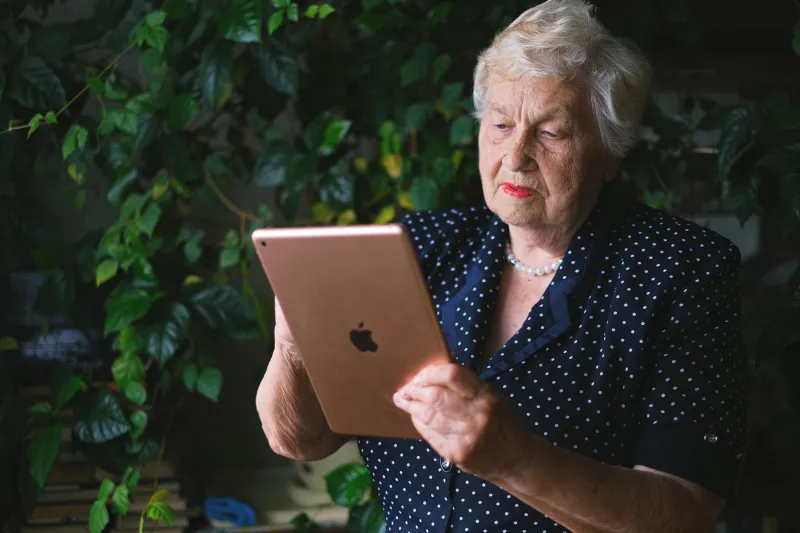
My mother-in-law, Ruth, is 78, sharp as a tack, and has never once said the words "smart plug" without air quotes. When she came to stay with us in Ohio for a month after her hip surgery, we did what any tech-comfortable family would do: we patted ourselves on the back for having a fully automated house.
Then we watched her stand in the kitchen for a full 45 seconds, staring at the wall panel, trying to figure out which tile turned on the porch light. Our routines had names like "Evening Winddown" and "Movie Mode." To us, those were intuitive. To Ruth, they were airport codes in a country she'd never visited.
So we ran an experiment. For her entire stay, we rewrote every label, every routine name, every cheat sheet — and we learned more about bad smart home design than any spec sheet ever taught us.
Rule One: Name Things Like a Person, Not a Programmer
The first fix cost nothing. We renamed our routines in Ruth-speak:
- "Evening Winddown" became "Dim Living Room Lights"
- "Goodnight" became "Turn Everything Off Downstairs"
- "Away Mode" became "Nobody's Home — Don't Touch"
The difference was immediate. Ruth stopped asking us to turn things on and off. She stopped guessing. Voice commands got the same treatment — "Alexa, run Evening Winddown" became a laminated card on the fridge that read, in plain terms, "To make the house quiet and dark, say: Alexa, run Evening Winddown."
Here's the thing the industry gets wrong: accessibility isn't just about screen readers and haptic feedback. It's about vocabulary. A routine named for what it does instead of how it feels is an accessibility feature. Full stop.
The 80-Point Font Experiment
We also went analog. Every smart switch got a physical label — a printed card in a large font, taped beside it. "PORCH LIGHT." "GARAGE DOOR." "DON'T TOUCH (HEATER)."
Did it look elegant? Absolutely not. Our kitchen looked like a DMV waiting room. Did it work? Ruth operated the house independently within three days, including the video doorbell, which she'd previously refused to touch because the app assumed she wanted to configure motion zones.
That's the unexpected part I keep coming back to: the labels weren't really for her memory. They were for her confidence. The anxiety wasn't "I don't know which button." It was "I'll break something." A giant printed card that said "PRESS HERE — JUST THE LIGHT, NOTHING ELSE" removed the stakes.
Which 'Universal' Features Actually Exclude People
We kept a running list of features marketed as accessible that failed Ruth in practice:
Touch-only panels. No physical feedback, small tap targets, and a lock screen that required an upward swipe she never once got right on the first try.
App-gated everything. Our smart lock's key code was fine, but the app kept nudging her to "set up her profile." She didn't want a profile. She wanted to open the door.
Voice assistants with confirmation loops. "Are you sure you want to turn off the living room lights?" is a sentence that assumes the speaker can read a screen to answer. She couldn't, and would just repeat herself louder.
Tiny default fonts. Every device app shipped at a font size readable by 30-year-olds with perfect vision. Changing system-level text size broke layouts on two of the four apps we tried.
What actually worked was almost embarrassingly low-tech: physical buttons with one job each, big-print labels, a one-page cheat sheet, and routines named in plain English.
The Takeaway: Design for the Person Who Didn't Set It Up
If you're building a smart home for aging in place — or just for the next guest, babysitter, or future you with tired eyes — steal our rules:
- Name routines by their outcome, not their vibe.
- Keep one physical, labeled control for every critical function. Lights, door lock, thermostat. No exceptions.
- Print the cheat sheet. Laminate it. Put it on the fridge. Digital documentation is documentation nobody can find.
- Turn off confirmation prompts for low-stakes devices.
- Test with someone who didn't build it. If they hesitate, the label is wrong, not them.
Ruth went home with a smart plug, a big-button remote, and a laminated card of her own. She calls it "the little gadget with the instructions." Honestly? That's better product naming than half the industry manages.