Scary Words, Friendly Devices: A Plain-English Decoder for the Jargon Freaking Out New Smart Home Owners
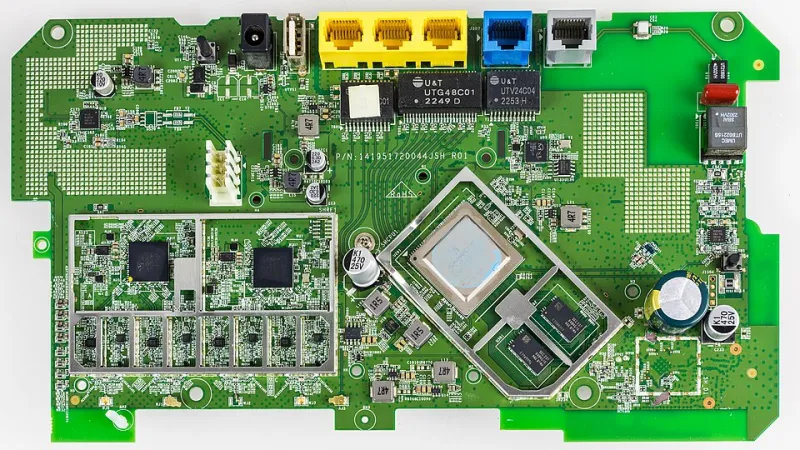
Photo: Raimond Spekking, CC BY-SA 4.0, via Wikimedia Commons
Somewhere between unboxing your first smart bulb and three in the morning spent on a manufacturer's support forum, you'll run into vocabulary that sounds like it belongs in a thriller, not a tech blog. Bricked. Orphaned. Zombie devices. None of it is actually as dire as it sounds — but nobody hands you a dictionary at checkout, so we wrote one.
Here are 15 terms that sound sinister but usually aren't, plus what to actually do when you hit them.
The Ones That Sound Like a Crime Scene
1. Bricked. When a device is "bricked," it's been rendered as useful as a literal brick — usually by a failed firmware update. The scary part: yes, it can be permanent. The reassuring part: it's rare, and it almost always happens when someone unplugs a device mid-update. Fix: never cut power during an update, and if a device does brick, check the manufacturer's recovery instructions before tossing it. Many have a reset sequence that resurrects them.
2. Orphaned device. This one just means a gadget whose parent app, hub, or account went away — maybe you cancelled a subscription, or the company killed its cloud service. The device didn't die; it's just lonely. Fix: re-pair it to a new ecosystem or hub. Most devices can be adopted by something else.
3. Zombie devices. A zombie device is one that's technically still on your network but stopped responding — a bulb that shows up in your app but won't turn on, a sensor that hasn't reported in for weeks. They clutter your device list and occasionally cause automations to hang. Fix: delete them from your app and re-pair if needed. A monthly device-list cleanup takes five minutes.
4. Ghost automations. You deleted the routine, but the porch light still flashes at 9 p.m. sharp. Old automations can linger in a hub's memory, especially if you've switched platforms. Fix: check every connected app — including old ones you forgot you installed — and purge leftover routines.
The Ones That Sound Like a Medical Emergency
5. Flashing. No, your bulb isn't having a crisis. "Flashing" just means installing new firmware — writing fresh software onto the device. It's routine maintenance. Fix: none needed. Just don't unplug anything mid-flash (see: bricked).
6. Degraded network. Sounds like your mesh is terminally ill. Really it just means signal quality has dropped — too many walls, a router in a cabinet, a neighbor's Wi-Fi stomping on your channel. Fix: move your router to a central, elevated spot, or add a node or two.
7. Network congestion. Your Wi-Fi isn't clogged with plaque; there are just too many devices shouting at once, often on the crowded 2.4 GHz band. Fix: put your smart devices on 2.4 GHz and your streaming gear on 5 GHz, or move heavier traffic to wired connections.
The Ones That Sound Like a Horror Movie
8. Zombie apocalypse mode. Okay, this one's rare, but some platforms have community names for fail-safe routines that shut everything down when the hub loses connection. It's a feature, not an exorcism. Fix: nothing. It's working as intended.
9. Dead zone. The corner of your house where Wi-Fi goes to die. Every home has one — usually the garage or a far bathroom. Fix: a mesh node or a plug-in range extender, not a séance.
10. Dark mode. Completely innocent. It's just a dark-colored app theme. Your phone is fine.
The Ones That Sound Like a Hostage Situation
11. Held hostage / vendor lock-in. When all your gear only works with one brand's app and that brand decides to change everything, you're "locked in." It's annoying, not sinister. Fix: favor devices that support Matter or work across multiple ecosystems so you always have an exit.
12. Forced migration. A company moves your devices to a new app or account system, sometimes breaking automations along the way. It happened plenty during recent platform overhauls. Fix: export routines where possible, take screenshots of your setups, and check community forums before updating.
13. Kill switch. A built-in way to disable a feature or a device remotely — sometimes a privacy feature, sometimes a company's ability to sunset a product. Fix: read the fine print before buying cloud-dependent gear.
The Ones That Just Sound Weird
14. Brick-and-boom / pairing mode. Okay, "pairing mode" doesn't sound scary so much as cryptic. It's the state a device enters so a hub can find it — usually triggered by holding a button until a light blinks. Fix: none. This is just how devices say "I'm ready to make friends."
15. Local control. Sounds like government zoning talk, but it's actually great news: your devices respond to commands within your own home, no internet required. Fix: seek this out. Local control means your lights still work when your ISP has an outage.
The Takeaway
Almost none of this vocabulary describes anything you can't fix with a reset button, a router relocation, or ten minutes in an app. The words are dramatic; the problems are usually mundane. Bookmark this page, and the next time a forum post warns you about zombie devices, you can nod knowingly instead of panic-googling.
That's the whole mission here at Homolexis — decoding the connected home, one intimidating term at a time.