Stuck in the Aisle? 15 Smart Home Words on the Box, Decoded Before You Check Out
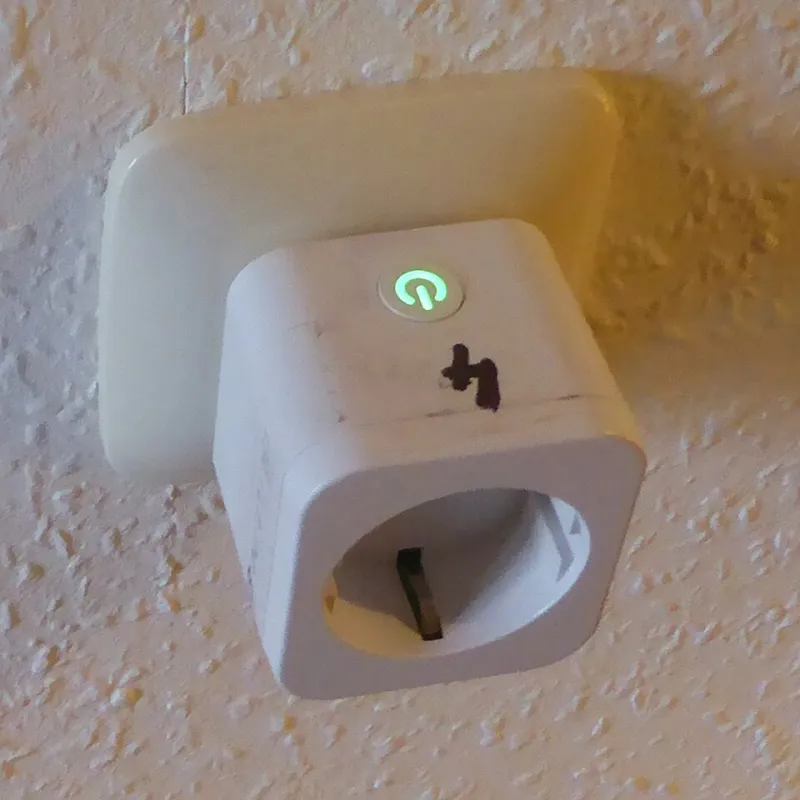
Photo: Markus Bärlocher, CC0, via Wikimedia Commons
You're standing in the electrical aisle at Home Depot, a smart dimmer box in one hand and your phone in the other, reading the phrase "neutral wire required" and wondering if your house has one of those. (For the record: if it was built before the mid-1980s, maybe not.)
That's the moment this guide exists for. No history lessons, no protocol deep-dives — just the fifteen words most likely to appear on a box at Lowe's, Ace, or your local hardware store, what they actually mean, and a fast verdict so you can keep shopping instead of Googling.
The Electrical Stuff (Where You Can Actually Break Something)
1. Neutral Wire Required A neutral wire completes the circuit back to your panel. Many smart switches need one to stay powered 24/7, and older homes often don't have one in the wall. Verdict: Grab it if your switch boxes have a bundle of white wires. Skip it if not — look for "no neutral required" models (Lutron Caséta is the classic pick).
2. Load Rating (e.g., "150W LED / 600W Incandescent") This is how much lighting the switch can handle. LEDs draw way less power than old-school bulbs, so the LED number is the one that matters for most people. Verdict: Count your bulbs. Under the limit? Grab it. A chandelier with 12 LEDs plus string lights? Do the math first.
3. GFCI Rated / GFCI Protected GFCI outlets are the ones with Test and Reset buttons, required near water. Some smart plugs can't go in them safely or legally. Verdict: Grab it for the kitchen and bathroom if it says GFCI compatible. Skip it in those rooms if it doesn't.
4. 3-Way / Multi-Location Means the light is controlled by two or more switches — like the top and bottom of your stairs. Smart switches handle this, but often need a companion switch or a specific wiring setup. Verdict: Grab the 3-way version if two switches control the same light. Skip it (and save $20) if there's only one switch.
The Connectivity Stuff (Why It Won't Connect)
5. Wi-Fi Only / Hub Required "Hub required" means the device talks to a little bridge box first, which then talks to your router. Wi-Fi-only plugs straight into your router like a laptop. Verdict: Grab Wi-Fi-only for your first one or two devices. Skip it if you're building a whole house — your router will choke.
6. Thread / Border Router Thread is a low-power mesh network where devices relay signals for each other. A "border router" is the device (certain Nest, Apple, or Echo models) that connects that mesh to the internet. Verdict: Grab Thread gear if you already own a border router. Skip it if you don't — add one first.
7. Matter The industry's attempt at a universal smart home language. A Matter logo means the device should work with Apple, Google, and Amazon ecosystems. Verdict: Grab it as a tiebreaker between two similar products. Don't skip a great device just because it lacks the badge — yet.
8. Local Control The device still works — lights flip, schedules run — even when your internet is down. Cloud-dependent gear becomes a very dumb brick during an outage. Verdict: Grab it for anything essential: locks, thermostats, the hallway lights.
9. 2.4 GHz Only Many smart devices only connect to the slower, longer-range half of your Wi-Fi. If your phone is on the 5 GHz band during setup, pairing fails and you'll blame the device. Verdict: Not a skip — just a heads-up. Connect your phone to the 2.4 GHz network before setup.
The Feature Stuff (What You're Actually Buying)
10. Wattage Monitoring / Energy Monitoring The plug tracks how much power whatever's plugged into it is drawing, right in the app. Verdict: Grab it for the garage fridge or space heater you suspect is eating your electric bill. Skip it for a lamp you never question.
11. Trim / Dim-to-Warm / Tunable White Tunable white bulbs shift from energizing cool light to cozy warm light. Dim-to-warm mimics old incandescents, getting amber as they dim. Verdict: Grab tunable white for kitchens and home offices. Skip it for bedrooms — dim-to-warm is the cozier fit there.
12. On/Off vs. Dimmer Seems obvious until you buy a dimmer for a fan or an on/off switch for your dining room chandelier and wonder why it buzzes. Verdict: Grab the dimmer for dimmable fixtures and the plain on/off for fans, exhaust fans, and anything with a motor.
13. Normally Open / Normally Closed (Sensors & Relays) Mostly on contact sensors and smart relays. It describes the default electrical state — relevant for garage doors, gate openers, and DIY projects. Verdict: Skip the jargon entirely unless you're wiring something custom. Consumer kits handle it automatically.
14. Z-Wave / Zigbee Frequency Notes In the US, Zigbee runs at 2.4 GHz and Z-Wave at 908 MHz — meaning Z-Wave dodges Wi-Fi interference entirely. Both need a compatible hub. Verdict: Grab either if you own (or plan to buy) a matching hub. Skip if you're hub-free for now.
15. Works with Alexa / Google / HomeKit (the Fine Print) The badge means some functionality works — but check which features. Plenty of devices can be turned off by voice but only configured in the manufacturer's app. Verdict: Grab it if the badge covers the features you actually care about. Skip it if the box hedges with phrases like "basic control."
One Last Tip Before You Check Out
Snap a photo of your wiring (breaker off, please) and your current bulb wattage before you head to the store. Half the returns at the smart home counter come down to a missing neutral wire or a miscounted bulb — and a ten-second photo beats a thirty-minute drive back.
Happy shopping. The aisle is less scary when you speak its language.