The Listing Decoder: What 'Smart Home Ready' Actually Means When You're Touring a House

Photo: Gthindhomes, CC BY 4.0, via Wikimedia Commons
You're scrolling listings on a Sunday night and one catches your eye: "Smart home ready! Nest thermostat, Ring doorbell, and voice-controlled lighting throughout." Sounds great. But what are you actually walking into at Saturday's showing?
After talking with agents across three states and paging through dozens of listings, we've learned that smart home language in real estate falls into three tiers — and knowing the difference can save you money and headaches.
Tier One: The Good Stuff (Real Value)
Genuinely valuable smart features are ones that are installed, hardwired, or transferable with the house:
- A hardwired video doorbell
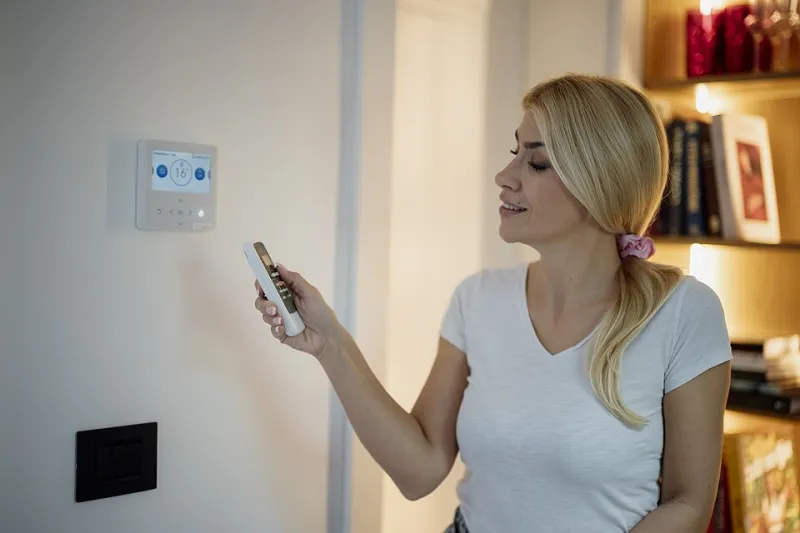
- A smart thermostat with a proper C-wire (a real issue in older homes)
- Smart switches rather than smart bulbs — they stay with the wall, work with any bulb, and don't require the seller to unscrew them
- Whole-home wiring or a structured media panel
These show up in appraisals and can genuinely nudge a sale price. A quality smart thermostat and doorbell combo is the kind of thing buyers notice and remember.
Tier Two: The Fine Print Features
Then there's the stuff that sounds impressive but requires homework:
- "Voice-controlled lighting" — could be smart switches, could be six smart bulbs the seller plans to take. Ask.
- "Security system included" — often means professionally monitored with a contract that does NOT transfer. You'd inherit nothing and start a subscription from scratch.
- "Smart home hub included" — great, unless it's a discontinued model from a company that shut down its cloud. A hub without living cloud support is a paperweight.
Tier Three: The Red Flag Phrases
Some wording should make you squint:
- "Smart home ready" with no specifics. Ready for what? This frequently means the house has good Wi-Fi coverage and nothing else. Congratulations, your 2024 build is "ready" for technology invented in 1999.
- "Compatible with all major platforms" — meaning nothing is actually installed.
- "Smart" as a prefix on everything. A "smart garage" with a single connected opener is not a smart garage.
Your Touring Cheat Sheet
Print this, or screenshot it:
- Ask what stays. Get it in writing on the seller's disclosure. Smart bulbs are personal property; smart switches are fixtures. The line matters.
- Ask for the logins. Devices need factory resets and re-pairing to YOUR accounts. If the seller can't do this, you'll be deleting and reinstalling everything yourself.
- Check the C-wire. No C-wire at the thermostat? Add $25–100 for a workaround if you want to keep that fancy thermostat.
- Look at the panel. Open the media enclosure or wherever the hub lives. Dust and old model numbers tell the truth that listing photos won't.
- Test it during the tour. Ask the agent to demo the doorbell or the lock. If the seller's leaving and the gear doesn't work on the way out, it won't work on the way in.
If You're the One Selling
The move-out rules are simple:
- Leave: hardwired devices, smart switches, thermostats, doorbells. Removing them damages walls and hurts your listing.
- Take: smart bulbs, standalone cameras, portable sensors, and anything on your personal cloud account.
- Reset everything and leave printed instructions. Buyers' agents tell us a folder of setup docs genuinely speeds up closing-week chaos.
The connected home is now a selling point in most US markets — but only when the words on the listing match the hardware on the wall. Decode carefully, ask blunt questions, and never assume "smart" means what the flyer says it does.